
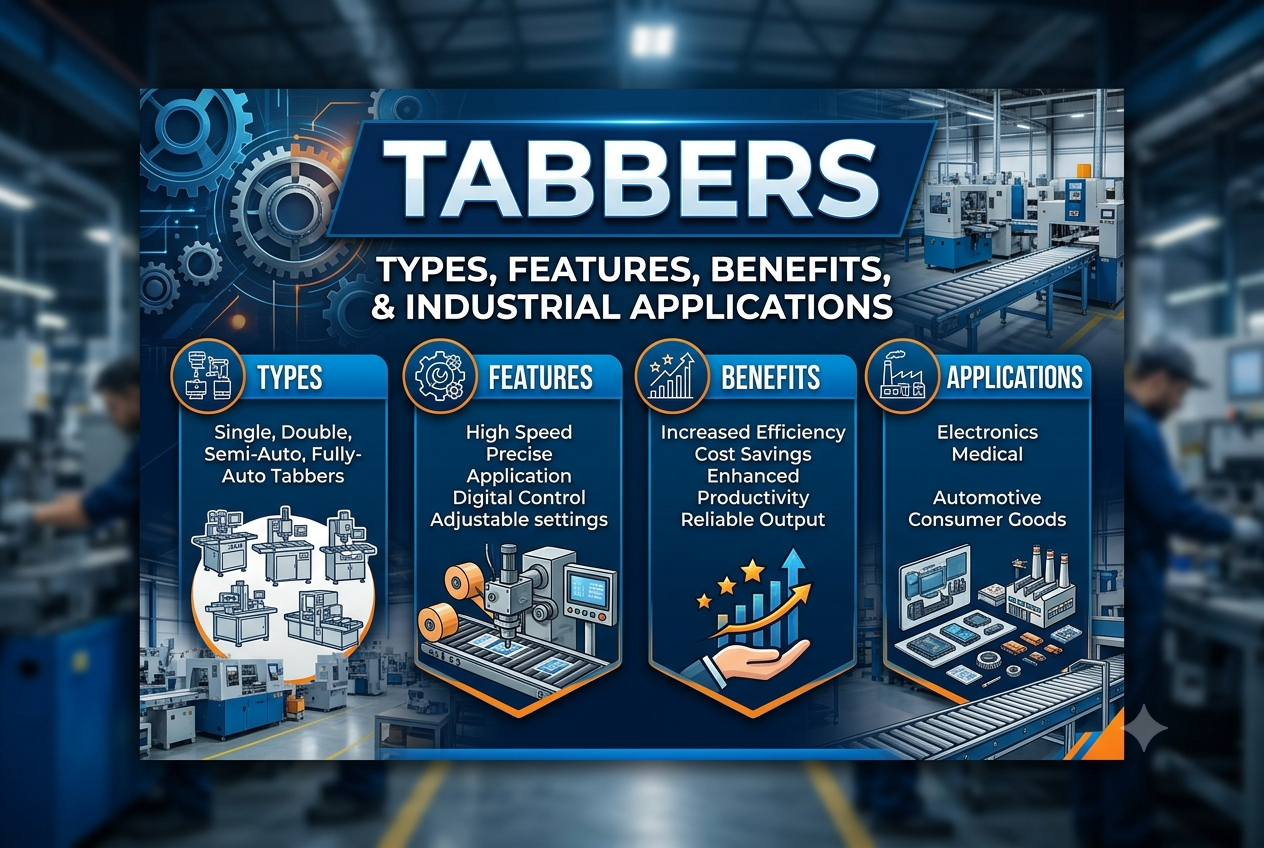
Finishing can be really important in commercial printing and mailing. Newsletters, folded leaflets, booklets, and marketing mailers require tabs or wafer seals for secure closure. Doing this manually can take a lot of time and can give varied results. Having a tabber can help with the efficiency of your print finishing department.
Tabbers are automated machines that enable the addition of tabs in the correct places. Depending on the configuration of the tabber, you can add tabs to a variety of formats, one or multiple tabs and can be stand-alone or part of a mailing line. Knowing what options are available, can help businesses decide what the best option would be.
What are Tabbers?
Tabbers are specialised machines that add tabs, wafers, or similar items to your documents and folded mail. Within direct mail they can help secure your folded item without using an envelope. Some can aid with other labelling/finishing tasks.
Most tabbers will have some form of feed/conveyor system to transport each item into the correct place. Tabs are fed from a roll and automatically separated and added to the correct location. There will be sensors and registration to help with the correct positioning.
Once tabs have been added your item will be fed into a bin or onto the next part of your process. Tabbers can be part of a complete system that includes folders, inkJet addressing, conveyor and other mailing items.
Different Types of Tabber
Depending on your business needs, there are different levels of automation available. Machines will vary depending on how much you’re producing, the space available, the size of your item and finishing needs.
Table Top Tabbers
These are small tabbers that are great for smaller productions and medium volumes of mailing. They can be really useful in print shops, offices and organisations who have regular mailing campaigns.
They are small meaning they can be used in smaller spaces. Depending on the type, they can have adjustable settings for different tab sizes and paper formats.
Industrial Stand-Alone Tabbers
These machines are designed for higher volumes. They tend to have their own feed system, transport and tabber.
They are great for businesses who need to produce lots of newsletters, catalogues, booklets and folded marketing items. With the right size and build they can produce items more consistently.
Inline Tabbers
Inline tabbers can be added to your finishing/mailing process. Folded newsletters can be fed from your folder into the tabber and onto your address/sorting machine.
This reduces the amount of manual handling you need to do. Similar, regularly produced items help.
Dual Head/Multi Head Tabbers
These can be used to add multiple tabs. Depending on the machine they can add tabs to different areas of your mail.
If you have items that need multiple tabs added this can be really useful. As everything is done in one go it reduces the need to handle multiple times.
Key Features to Consider
Consider what you actually need to produce instead of focusing only on machine speed. You should consider:
- Accuracy
Having good registration will help you add tabs in the correct place consistently.
- Output
Consider what output you’ll be looking to achieve. Can you realistically achieve this given the size of your paper, thickness of your item and how many tabs you need to add?
- Compatibility
Check that the machine can handle your paper sizes, folded thickness and tab sizes.
- Controls
Having clear controls, displays, saved settings and diagnostic information can make the machine easier to use.
- Compatibility with Other Equipment
Check that the tabber works with your existing folders, feeders, conveyors, or addressing machines.
- Ease of Maintenance
Checking the machine has easy access and spare parts can make it easier to service regularly.
Benefits of Using a Tabber
The main benefit to using a tabber is that you can consistently finish your items. However they can also help you in other ways.
Increased Efficiency
Using a tabber means you don’t have to manually do the same task repeatedly. This means you can create larger batches. A print shop creating regular monthly newsletters can use the tabber to help create the sealing part quicker.
Consistent Finishing
Having tabs consistently added will give your folded mails a more professional look. It will also reduce any issues caused by tabs not being in the right place.
Reduced Manual Handling
You won’t have to handle your items as much due to the machine doing the tabbing. This can make your workflow easier. Employees can concentrate on setting the machine up, checking quality and more.
Improved Workflow
Connect your tabber to other finishing equipment to make it part of a complete process. This means you’re not having to transfer your items unnecessarily. This can help facilities with multiple parts to their mailing process.
Large Campaigns
Large campaigns—seasonal promotions, newsletters, membership items, or large volumes of customer mail—benefit from using a tabber that consistently adds tabs. The right system will help you manage large batches.
How to Choose the Right Tabber
Consider what you need to produce.
What items are you producing? What size, weight, thickness and sealing do you need? Your needs vary by business size. A small business sending occasional mailers has different requirements than a commercial mailing centre producing daily batches.
Expected Output
How many items do you expect to produce per day? When will you be busy? How often do you change jobs? Will you need the machine to handle multiple formats in one shift? Don’t pay for a machine that you won’t be using much.
Test Items
Get a demo of the machine using samples from your jobs.. Check the feed is consistent, tabs added in the right place, tabs sticking and the settings are easy to change. A successful test provides more useful information.
Space
Consider how much space you have. Can your staff easily reach the machine? What are your power requirements? Inline tabbers require enough space for items to move around and for servicing.
Training
Your employees should know how to load, set up, regularly check and follow approved processes to fix any issues. This will help reduce any avoidable errors whilst setting up.
Common Issues to Avoid
A common issue is to choose a machine based on how fast it can run. Depending on the condition of your items, feed, size and number of tabs you may not get the expected output.
Items not being prepped correctly can be an issue. Curling, incorrectly stacked, or damaged items cause issues with feeding. Prepping your items to the manufacturers specifications will help.
After changing jobs, tabs may not be added consistently. Always check the first few items after changing settings or items. This simple step will ensure you don’t have to redo an entire batch.
Not servicing regularly can cause issues. Sticky tabs and worn parts can cause issues. Follow the manufacturers recommendations for cleaning and servicing.
Top Tips
Always do a trial run first. Check tabs are added in the correct place, sticking and look. Once you’ve confirmed this you can increase your output. Have your consumables organised and check they are compatible.
Keep a log of settings that have worked. Keep track of how much you’ve produced, how many stops and any regular issues. This can help identify any patterns.
Consider your whole process for an integrated mailing line. To get the most out of your tabber your items need to be fed, folded, added, addressed and collected correctly.